
PUBG Elite
The gameplay build for PUBG on PC: player ESP, loot and vehicle markers, and recoil profiles. Read the limitations before checkout.

At a glance
Key capabilities
What Elite focuses on before you open the full module list.
Plus 8 more items in the full list below.
Overview
A PUBG PC build with the modules listed in one place
How this build fits a PUBG session and a patch day.
PUBG Elite collects the gameplay modules sold on cheats-pubg.com: player information, loot and vehicle highlights, and recoil profiles separated by weapon class. Presets exist so a hot drop and a final circle do not share one cluttered layout.
Read the limitations before checkout. Updates to PUBG can take a build offline. The homepage status note is the current answer, not a paragraph on this page.
PUBG Elite is the gameplay build on this site: player markers, loot and vehicle highlights, distance readouts, and weapon recoil profiles. It is one product, not a ladder of Lite and Pro tiers.
Use a quiet preset first
Start with the milder preset that ships with the order. A dense loot filter hides the players who matter. Turn options on one at a time after you can still read the map.
What the feature list means
Player boxes and distance labels are information overlays. Recoil profiles are per weapon class, because an AR and a DMR do not kick the same way. Vehicle and loot markers are filters, not a second map pasted on top of the first.
Utilities stay separate
Skin preview, hardware-identifier tools, and appeal notes are their own pages. Buying Elite does not silently include a promise about account recovery.
Modules
What's included
Every module listed for Elite. Turn on one option at a time.
- Player boxes and distance
- Health and team colors
- Loot filter by category
- Vehicle markers
- Airdrop markers
- Circle distance readout
- Recoil profiles by weapon class
- Mild and strong preset slots
- Saved hot-drop preset
- Saved late-game preset
- Recording-check reminder
- Status note before launch
- Windows 10 and 11 support
- Order email support
Experience
In the client · After you buy
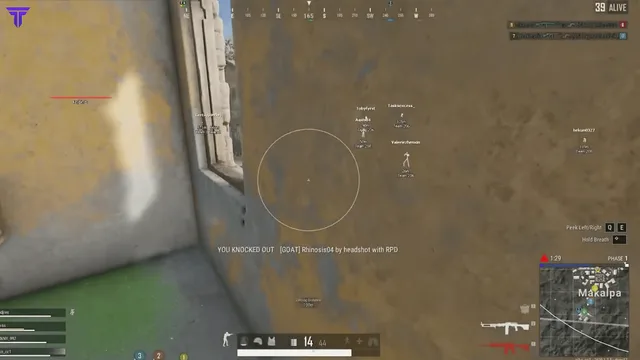
Use the screenshots above for Elite—below is what each layer means and how access works after checkout.
In-game layers
- Layer A
PUBG gameplay
Image supplied for the PUBG Elite gallery.
- Layer B
PUBG gameplay
Image supplied for the PUBG Elite gallery.
- Layer C
PUBG gameplay
Image supplied for the PUBG Elite gallery.
- Layer D
PUBG gameplay
Image supplied for the PUBG Elite gallery.
- Layer E
PUBG gameplay
Image supplied for the PUBG Elite gallery.
- Layer F
PUBG gameplay
Image supplied for the PUBG Elite gallery.
- Layer 7
PUBG gameplay
Image supplied for the PUBG Elite gallery.
- Layer 8
PUBG gameplay
Image supplied for the PUBG Elite gallery.
- Layer 9
PUBG gameplay
Image supplied for the PUBG Elite gallery.
- Layer 10
PUBG gameplay
Image supplied for the PUBG Elite gallery.
- Layer 11
PUBG gameplay
Image supplied for the PUBG Elite gallery.
- Layer 12
PUBG gameplay
Image supplied for the PUBG Elite gallery.
- Layer 13
PUBG gameplay
Image supplied for the PUBG Elite gallery.
- Layer 14
PUBG gameplay
Image supplied for the PUBG Elite gallery.
- Layer 15
PUBG gameplay
Image supplied for the PUBG Elite gallery.
- Layer 16
PUBG gameplay
Image supplied for the PUBG Elite gallery.
- Layer 17
PUBG gameplay
Image supplied for the PUBG Elite gallery.
- Layer 18
PUBG gameplay
Image supplied for the PUBG Elite gallery.
- Layer 19
PUBG gameplay
Image supplied for the PUBG Elite gallery.
- Layer 20
PUBG gameplay
Image supplied for the PUBG Elite gallery.
Guides
Learn more about Elite
Curated articles for setup, tuning, and patch-day checks that match this product.
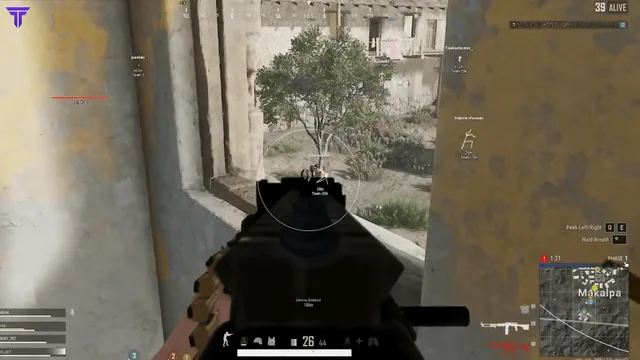
What is included on the Elite product page, how it differs from the utilities, and what to confirm before checkout.
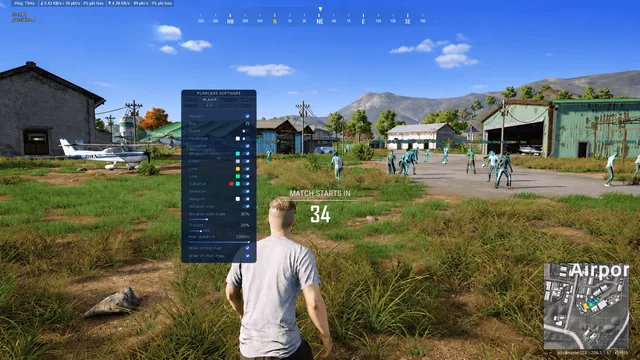
How Cheats PUBG groups player ESP, loot markers, recoil profiles, Elite access, and the separate utility products.
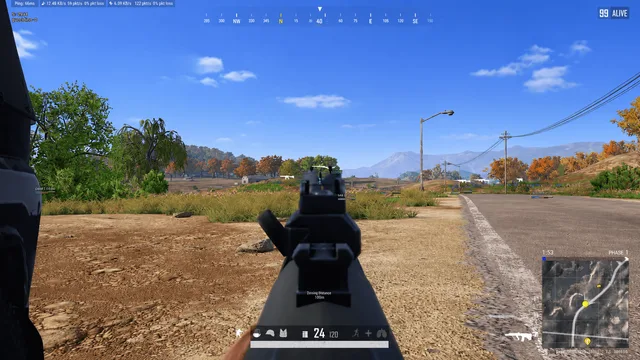
A plain-language look at player boxes, distance, and health markers, and why you should read the status note before a session.
Status, platform, refund limits, and the email you must keep. Read this before the first checkout.
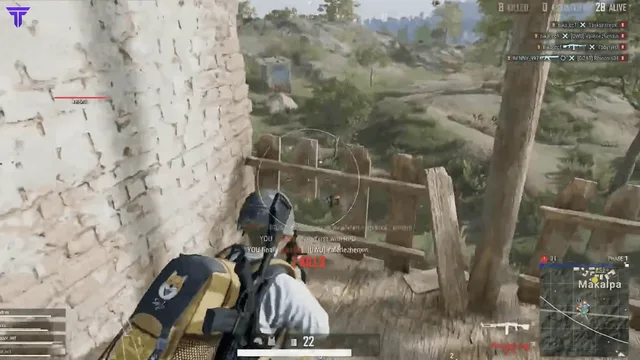
After a PUBG update, read the status note, update the game, and do not assume yesterday’s build still matches.
How the Skin Changer page describes cosmetic preview, what other players see, and when the standalone utility is enough.
FAQ
Questions about this page
Answers tied to what you are reading. The FAQ page has every topic.