
HWID Spoofer
A separate hardware utility

At a glance
Key capabilities
What HWID Spoofer focuses on before you open the full module list.
Plus 4 more items in the full list below.
Overview
A hardware-identifier utility sold separately from the game build
How this build fits a PUBG session and a patch day.
The HWID Spoofer is the utility people open when the question is the PC rather than the login. Disk and network identifier tools are described on the partner listing. The steps stay in the guide that comes with the purchase.
If the restriction names the account and the same account fails on another PC, start with UGC instead of this page.
When people look at this page
This utility is for hardware-identifier questions. It is the wrong product for an account-only restriction. Those notes belong on the UGC page, and neither page guarantees a result.
What we will not publish here
The order includes its own checklist. This website does not publish a step-by-step spoofing procedure. Shared and work PCs are a poor place to change system identifiers.
Modules
What's included
Every module listed for HWID Spoofer. Turn on one option at a time.
- Separate product from Elite
- Hardware-identifier utility
- Checklist delivered with the order
- Not an account-appeal tool
- Not for shared or work PCs
- Support via the order email
- Status check before the next session
- Pairs with UGC only when the problem is different
Experience
In the client · After you buy
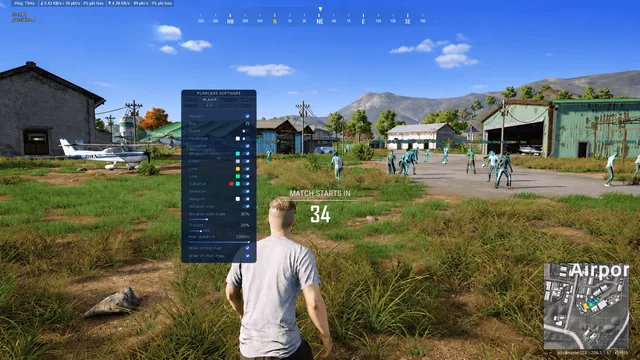
Use the screenshots above for HWID Spoofer—below is what each layer means and how access works after checkout.
In-game layers
- Layer A
HWID Spoofer
Image supplied for the hardware utility gallery.
- Layer B
HWID Spoofer
Image supplied for the hardware utility gallery.
Guides
Learn more about HWID Spoofer
Curated articles for setup, tuning, and patch-day checks that match this product.

A non-procedural explanation of the hardware-identifier product, the risks, and when an account issue is a different problem.

What the UGC page means by workflows and case tracking, and why a permanent restriction may not be reversible.

After a PUBG update, read the status note, update the game, and do not assume yesterday’s build still matches.

Status, platform, refund limits, and the email you must keep. Read this before the first checkout.
How Cheats PUBG groups player ESP, loot markers, recoil profiles, Elite access, and the separate utility products.

A plain-language look at player boxes, distance, and health markers, and why you should read the status note before a session.
FAQ
Questions about this page
Answers tied to what you are reading. The FAQ page has every topic.